

Here’s a sobering reality that every consultant faces: the average consultant loses 2.9 hours daily to poor time tracking. That’s not just lost productivity—it’s $435 in daily revenue leakage for a consultant billing $150 per hour, totaling over $112,000 annually.
Yet most consulting firms treat time tracking as an administrative burden rather than what it actually is: a competitive advantage that can increase profitability by 34% within the first year.
The consultants who win in 2026 understand that time tracking isn’t about monitoring—it’s about optimizing. They use sophisticated systems to build client trust, justify premium rates, and make data-driven business decisions that fuel sustainable growth.
This guide reveals how to choose and implement consultant time tracking software that transforms your practice from reactive to strategic, helping you capture every billable minute while building stronger client relationships.
Why Traditional Time Tracking Fails Consultants
The Multi-Client Juggling Act
Unlike traditional employees who focus on a single set of priorities, consultants operate in a fundamentally different environment. On any given day, you’re switching between:
- 3-8 active client projects with different billing structures
- Varying reporting requirements for each engagement
- Constant interruptions from urgent client requests
- Multiple project phases requiring different skill sets
The Context Switching Crisis
University of California research shows it takes 23 minutes to regain full focus after an interruption. For consultants fielding client calls and managing multiple priorities, this creates a productivity nightmare that traditional time tracking can’t solve.
Consider this typical consultant scenario: You’re deep in strategy work for Client A when Client B calls with an “urgent” budget question. After a 15-minute call, you return to your original work, but your train of thought is gone. Manual time tracking systems can’t capture these nuances, leading to:
- Underestimated billable time from forgotten interruptions
- Revenue leakage of 15-20% in most consulting firms
- Client disputes over unclear time documentation
- Consultant frustration with administrative overhead
The Billable Hour Optimization Challenge
Most consulting firms target 80% billable utilization but achieve only 60-65%. This 15-20% gap represents massive revenue opportunity—for a consultant billing $150/hour, improving from 65% to 80% utilization means an additional $30,000 in annual revenue.
Where Time Actually Goes:
Target vs. Reality (40-hour work week):
- Billable client work: 32 hours target vs. 24-26 hours reality
- Untracked client work: Should be 0 vs. 4-6 hours lost
- Administrative tasks: 2 hours target vs. 6-8 hours reality
- Business development: 4 hours target vs. 2-4 hours reality
The right consultant time tracking software doesn’t just measure these gaps—it systematically closes them through intelligent automation and strategic workflows.
Essential Features Every Consultant Time Tracking Software Must Have
Automatic and Manual Tracking Integration
The best consultant time tracking software combines automatic monitoring with manual precision:
Automatic Tracking Handles:
- Desktop application usage for client-specific work
- Website activity and research time
- Document editing and email correspondence
- Meeting participation through calendar integration
Manual Tracking Captures:
- Client phone calls and video meetings
- Travel time (billable and non-billable)
- Strategic thinking and brainstorming sessions
- Off-computer work like client site visits
Top-tier solutions learn your patterns and suggest project assignments automatically, reducing daily tracking overhead to under 5 minutes while maintaining 95%+ accuracy.
Multi-Client Project Management
Consulting firms need sophisticated project organization that mirrors their business reality:
Consulting firms need sophisticated project organization that mirrors their business reality:
Example Project Hierarchy:
Level 1: Client Organization Level 2: Master Service Agreement Level 3: Individual Projects
- Strategy Engagement (Project Alpha)
- Operations Review (Project Beta)
Level 4: Project Phases
- Discovery Phase
- Analysis Phase
- Implementation Phase
- Current State Assessment
- Future State Design
Critical Project Management Features:
- Hierarchy support for complex client relationships
- Quick project switching (under 3 clicks)
- Bulk time editing for efficient timesheet management
- Project templates for recurring engagement types
Advanced Billing and Rate Management
Professional consulting rarely operates on simple hourly rates. Your software must handle:
Multiple Rate Structures:
- Senior consultant rates ($200-400/hour)
- Junior consultant rates ($100-200/hour)
- Specialized expertise premiums (20-50% uplift)
- After-hours emergency rates (150-200% standard)
Client-Specific Pricing:
- Negotiated rate agreements by engagement type
- Volume discounts for long-term relationships
- Blended rates for team-based projects
- Fixed-fee project allocation and tracking
Automated Billing Intelligence:
- Automatic rate selection based on consultant + client + project
- Time-of-day adjustments for premium work
- Currency conversion for international clients
- Integration with accounting systems for seamless invoicing
Business Intelligence and Reporting
Beyond basic time tracking, consultant software should provide strategic insights:
Performance Analytics:
- Utilization trending by consultant and time period
- Revenue per hour analysis identifying most valuable work
- Client profitability breakdown showing relationship health
- Capacity planning based on current utilization and pipeline
Client-Ready Reporting:
- Professional timesheets with detailed task descriptions
- Project dashboards showing real-time progress and budget status
- Transparent billing summaries that build trust and justify rates
- Custom report templates matching client requirements
Top Consultant Time Tracking Software Comparison
TimeRewards – Best Overall for Professional Services ⭐⭐⭐⭐⭐
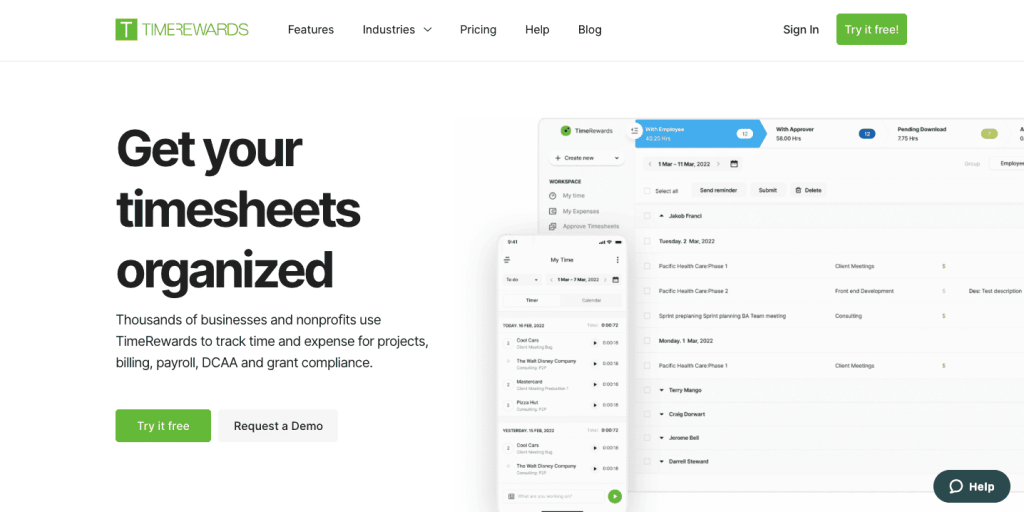
Why TimeRewards Leads Professional Services:
TimeRewards was built specifically for consulting firms, and this focus shows in every feature. Unlike generic time tracking tools adapted for consulting, TimeRewards addresses the unique challenges consultants face daily.
Core Advantages:
DCAA Compliance Leadership: For government contractors, TimeRewards provides built-in compliance features that eliminate audit risk:
- Real-time validation of time entry completeness
- Automated compliance checking with instant alerts
- Audit-ready reports meeting DCAA requirements
- Complete change tracking with approval workflows
Professional Services Integration:
- Deep QuickBooks integration for seamless accounting
- Native CRM connectivity for client relationship management
- Project management tool integration for delivery coordination
- Calendar synchronization for automatic meeting capture
Advanced Business Intelligence:
- Client profitability analysis showing which relationships drive value
- Service line performance identifying most profitable offerings
- Consultant utilization optimization with industry benchmarking
- Capacity planning tools for data-driven growth decisions
Scalability and Customization:
- Grows from solo consultant to enterprise without platform changes
- Custom workflow configuration matching firm processes
- White-label client portals maintaining brand consistency
- Advanced permission structures for complex organizations
Best For: Government contractors, professional services firms prioritizing business intelligence, growing consultancies needing scalable solutions
Investment: Custom pricing based on firm size and requirements
Toggl Track – Best for Simplicity ⭐⭐⭐⭐
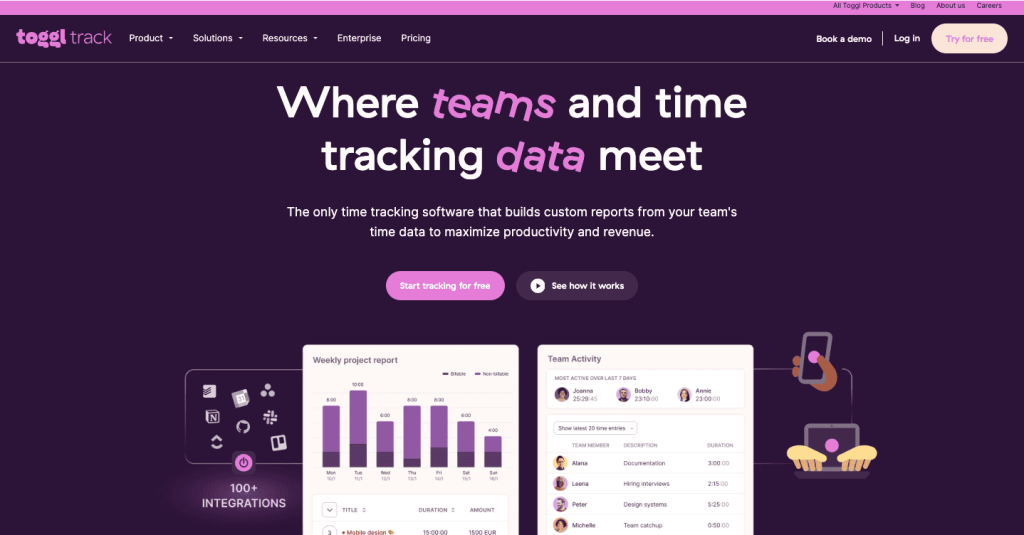
Strengths:
- Intuitive interface requiring minimal training
- Excellent mobile applications with offline capability
- Solid basic project organization features
- Cost-effective for small teams
Limitations:
- Basic billing features unsuitable for complex consulting scenarios
- Limited business intelligence and strategic reporting
- Fewer professional services integrations
- Becomes unwieldy with larger teams
Best For: Solo consultants and small teams under 10 people prioritizing simplicity.
Harvest – Best for Established Practices ⭐⭐⭐⭐
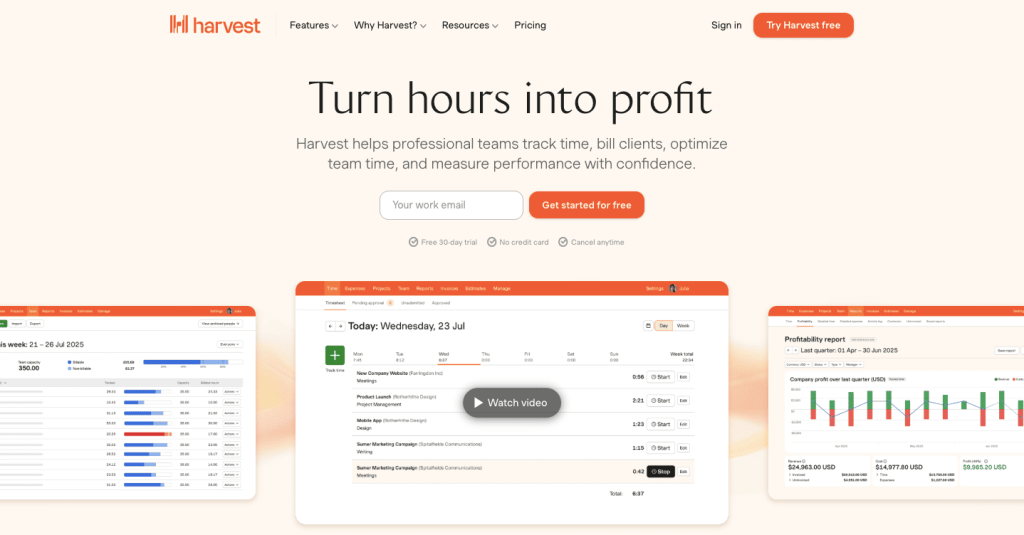
Strengths:
- Mature invoicing capabilities handling most billing scenarios
- Solid reporting for business performance analysis
- Reliable platform with proven track record
- Good integration with popular business tools
Considerations:
- Pricing increases significantly with larger teams
- Interface feels dated compared to modern alternatives
- More manual processes required vs. automated solutions
Best For: Established consulting firms (10-50 people) with predictable workflows.
BigTime – Best for Large Firms ⭐⭐⭐⭐
Strengths:
- Comprehensive project management capabilities
- Sophisticated billing engine for complex scenarios
- Enterprise integration with ERP and advanced systems
- Advanced reporting with custom dashboard creation
Limitations:
- Steep learning curve requiring significant training
- Premium pricing reflecting enterprise feature set
- Potential overkill for smaller consulting firms
Best For: Large consulting firms (50+ consultants) with complex requirements.
ROI Calculation: Justifying Your Investment
Quick ROI Analysis Framework
Implementation Costs (10-person firm example):
- Software licensing: $6,000 annually
- Setup and training: $4,000 one-time
- Process development: $2,000 one-time
- Total Year 1 Investment: $12,000
Revenue Impact:
- Improved utilization (65% to 75%): $300,000 additional revenue
- Better time capture (85% to 95%): $195,000 recovered revenue
- Administrative savings: $31,500 in efficiency gains
- Total Annual Benefits: $526,500
ROI Calculation:
- Return on Investment: ($526,500 – $12,000) / $12,000 = 4,288%
- Payback Period: 8.3 days
Even achieving just 25% of projected benefits delivers over 1,000% ROI, making consultant time tracking software one of the highest-return investments a professional services firm can make.
Beyond Financial Returns
Strategic Benefits:
- Client trust building through transparency and professional reporting
- Competitive differentiation via superior service delivery
- Growth enablement through data-driven capacity planning
- Team optimization using objective performance insights
Implementation Best Practices for Success
Phase 1: Foundation (Days 1-30)
System Setup:
- Configure client and project structures matching current organization
- Establish user accounts with appropriate permission levels
- Set up basic integrations (calendar, email, accounting)
- Deploy mobile applications across all devices
Change Management:
- Executive sponsorship: Senior partners must model behavior consistently
- Value communication: Frame as competitive advantage, not monitoring
- Pilot program: Start with 2-3 consultants to validate configuration
- Success metrics: Establish baseline measurements for improvement tracking
Phase 2: Full Deployment (Days 31-60)
Team Rollout:
- Comprehensive training sessions for all consultants
- Role-specific workshops (consultants, project managers, leadership)
- Client communication about enhanced transparency
- Process refinement based on initial feedback
Integration Activation:
- Advanced accounting system connections
- CRM integration for client relationship tracking
- Project management tool connectivity
- Custom report development for client needs
Phase 3: Optimization (Days 61-90)
Advanced Features:
- Business intelligence dashboard configuration
- Automated workflow implementation
- Custom approval processes
- Performance optimization based on usage patterns
Performance Measurement:
- Utilization rate improvement tracking
- Revenue impact analysis
- Client satisfaction feedback collection
- ROI validation and reporting
Ensuring Adoption Success
Training Best Practices:
- Role-specific sessions: Consultants need different skills than managers
- Hands-on practice: Use real projects during training
- Ongoing support: Regular check-ins and coaching for struggling users
- Success recognition: Celebrate improvements and wins publicly
Common Pitfalls to Avoid:
- Underinvesting in change management
- Choosing features over consulting-specific functionality
- Inadequate executive sponsorship and modeling
- Insufficient training and support resources
Measuring Success: Key Performance Indicators
Financial Metrics
Utilization Optimization:
- Individual consultant billable percentage (target: 75-80%)
- Firm-wide utilization trending by month and quarter
- Utilization by service line identifying most efficient practices
- Seasonal patterns for improved capacity planning
Revenue Performance:
- Revenue per consultant hour trending analysis
- Project profitability margins by engagement type
- Client lifetime value including acquisition costs
- Billing cycle efficiency and collection improvement
Operational Excellence
Quality Indicators:
- Daily time tracking completion rates (target: 95%+)
- Time entry accuracy vs. project deliverables
- Client satisfaction with transparency and reporting
- Employee satisfaction with time tracking processes
Business Intelligence:
- Strategic insights generated from time data
- Improved decision-making based on utilization analytics
- Competitive advantages gained through professional reporting
- Growth opportunities identified through capacity analysis
Making Your Decision: Action Steps
Step 1: Calculate Your Opportunity
Use this quick assessment to quantify your potential:
- Current utilization rate: ___% (track for one week manually)
- Target utilization rate: 75-80%
- Billing rate: $___/hour
- Annual opportunity: (Target – Current) × 2,000 hours × Rate
Most consulting firms discover $50,000-200,000 in annual opportunity per consultant.
Step 2: Evaluate Your Requirements
Must-Have Features:
- [ ] DCAA compliance (government contractors)
- [ ] Mobile functionality (client-site work)
- [ ] Advanced billing capabilities
- [ ] Professional client reporting
- [ ] Business intelligence and analytics
- [ ] Integration with existing tools
Step 3: Start with TimeRewards
Given TimeRewards’ leadership in professional services functionality, most consulting firms benefit from starting their evaluation here:
- Schedule a personalized demo addressing your specific challenges
- Start a free trial to test with real projects
- Compare against other solutions using the framework in this guide
- Implement using the best practices outlined above
Step 4: Plan for Success
Implementation Timeline:
- Week 1-2: System configuration and pilot testing
- Week 3-4: Team training and full rollout
- Week 5-8: Optimization and advanced feature implementation
- Month 3+: Performance measurement and continuous improvement
Success Factors:
- Executive commitment and modeling
- Adequate training and change management investment
- Focus on consultant benefits, not just firm benefits
- Continuous optimization based on usage data
Conclusion: Transform Your Consulting Practice
The choice isn’t whether to implement consultant time tracking software—it’s whether to implement a strategic solution that drives competitive advantage rather than just administrative compliance.
For immediate impact: Most consulting firms see positive ROI within the first month of implementation through improved time capture and billing efficiency.
For long-term success: Sophisticated time tracking becomes the foundation for strategic decision-making, client relationship enhancement, and sustainable growth.
For competitive advantage: Firms implementing professional time tracking early gain lasting advantages in client trust, operational efficiency, and market positioning.
TimeRewards stands out as the clear leader for professional services firms because it was built specifically for consultants rather than adapted from generic solutions. The DCAA compliance capabilities, professional services integrations, and business intelligence features provide everything consulting firms need to optimize performance and accelerate growth.
Ready to transform your consulting practice? Start your TimeRewards free trial today and discover why leading consulting firms choose professional services-focused time tracking over generic alternatives.
The consultants who implement strategic time tracking in 2026 will build the most profitable, scalable, and client-focused practices in their markets. The question is: will you be among them?
TimeRewards is the leading time tracking and business intelligence platform for professional services firms, featuring built-in DCAA compliance and specialized functionality designed specifically for consultants, agencies, and professional services organizations.