

BambooHR has become the go-to HR platform for small to medium-sized businesses, serving over 30,000 companies worldwide. While BambooHR partners with over 150 integrations, including several popular scheduling solutions like Deputy, Humanity Scheduling, MakeShift, NextGen Workforce, and Synerion, finding the right time tracking solution that seamlessly integrates with your BambooHR system can be challenging.
The right time tracking integration can transform your HR operations, eliminate double data entry, and provide real-time insights into workforce productivity. Whether you’re currently using BambooHR’s native time tracking add-on or seeking a more robust solution, this comprehensive guide will help you make an informed decision.
Why BambooHR Time Tracking Integration Matters
BambooHR partners with over 150 integrations, making it one of the most integration-friendly HR platforms available. However, the quality and depth of these integrations vary significantly. Here’s why choosing the right time tracking integration is crucial:
Unified Employee Experience: A seamless integration allows employees to access time tracking features directly from their BambooHR dashboard, eliminating the need to learn multiple systems or remember multiple logins.
Real-Time Data Synchronization: The sync process runs every 60 minutes and keeps everything updated, ensuring payroll accuracy and compliance reporting are always current.
Reduced Administrative Overhead: Studies show that companies using integrated time tracking solutions reduce HR administrative tasks by 65%, allowing teams to focus on strategic initiatives rather than data entry.
Enhanced Compliance: For government contractors and regulated industries, integrated solutions provide the audit trails and DCAA compliance features required for contract work.
Improved Decision Making: Real-time visibility into labor costs, project profitability, and employee utilization enables data-driven business decisions.
BambooHR’s Native Time Tracking Limitations
While BambooHR offers time tracking as an add-on feature, several limitations make third-party integrations attractive:
Limited Project Tracking: BambooHR focuses primarily on administrative HR tasks. Although it offers attendance and basic employee time tracking, it does not provide real-time views of how employees spend their time across tasks or apps.
No Native Scheduling: Although BambooHR integrates with third-party scheduling tools, it does not offer native employee scheduling capabilities, making it challenging for shift-based businesses.
Basic Productivity Insights: Businesses looking for detailed productivity analytics or time-use patterns throughout the day may need to explore additional tools.
Remote Team Limitations: BambooHR’s features are well-suited for in-office teams following traditional schedules. However, remote and hybrid teams often require deeper visibility into when and how work happens, across multiple locations and time zones.
Pricing Transparency: Unlike many software providers, BambooHR does not publicly list pricing on its website. This applies to both the core HR suite and add-ons like time tracking.
Top 8 Time Tracking Software That Integrates with BambooHR
1. TimeRewards – Best Overall Integration and Advanced Features
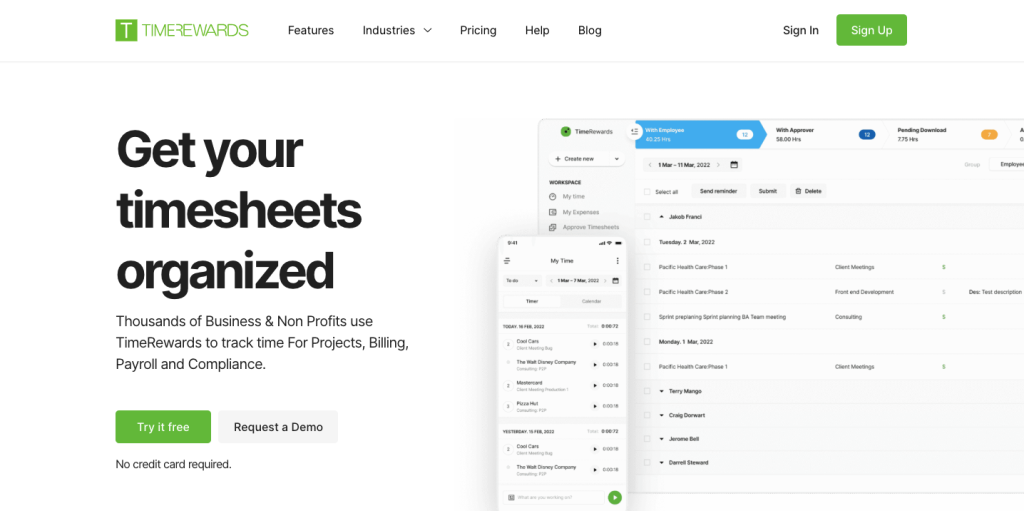
Integration Type: Official BambooHR Marketplace Partner Sync Frequency: Every 60 minutes with real-time options available
TimeRewards is an advanced time and expense tracking app designed to help growing businesses streamline time and expense tracking, With a range of features including online timesheets, receipt capture, automatic reminders, approval workflow, QuickBooks integration, and more, TimeRewards is ideally suited for accountants, consultants, lawyers, government contractors, engineers, and creative agencies.
Key Features:
- Seamless BambooHR Integration: Employee Information and Time Off Information sync between systems, with timesheet information sent to BambooHR for payroll or to track accruals
- DCAA Compliance: Provide your team with the most straightforward DCAA compliant time tracking tool they’ll ever use.
- Advanced Project Management: Comprehensive project tracking with budget management and profitability analysis
- Mobile Excellence: Full-featured iOS and Android apps with offline capability and GPS tracking
- Expense Management: Take photos of receipts and store them in your TimeRewards. You can capture expenses in real-time from your mobile phone, set up rules and preferences to avoid expense entry mistakes, bill clients for expenses, track Mileage and more
- Flexible Invoicing: A 1-click invoicing process allows you to create and send professional invoices quickly and easily. You can invoice for hourly, fixed fee, recurring, phased, milestone, percentage-complete, and more
- Single Sign-On: Simply use your BambooHR login credentials to access TimeRewards and be more productive
Why Time Rewards Excels:
- Native Integration Quality: Official marketplace partner with deep integration capabilities
- Comprehensive Feature Set: Combines time tracking, expense management, project management, and invoicing
- Industry Expertise: Purpose-built for professional services and government contractors
- Proven ROI: Companies report 40-60% reduction in administrative time
- Excellent Support: Dedicated customer success team with BambooHR expertise
| Category | Details |
|---|---|
| Best For | • Professional services • Nonprofits • Government contractors • Consulting firms • Creative agencies • Accountants |
| Pricing | Starting at $9.99 per user per month |
| Free Trial | 30 days with unlimited users |
| G2 Rating | 4.8/5 stars |
| Security | SOC 2 Type II certified • DCAA compliant |
2. Clockify – Best for Project-Based Teams
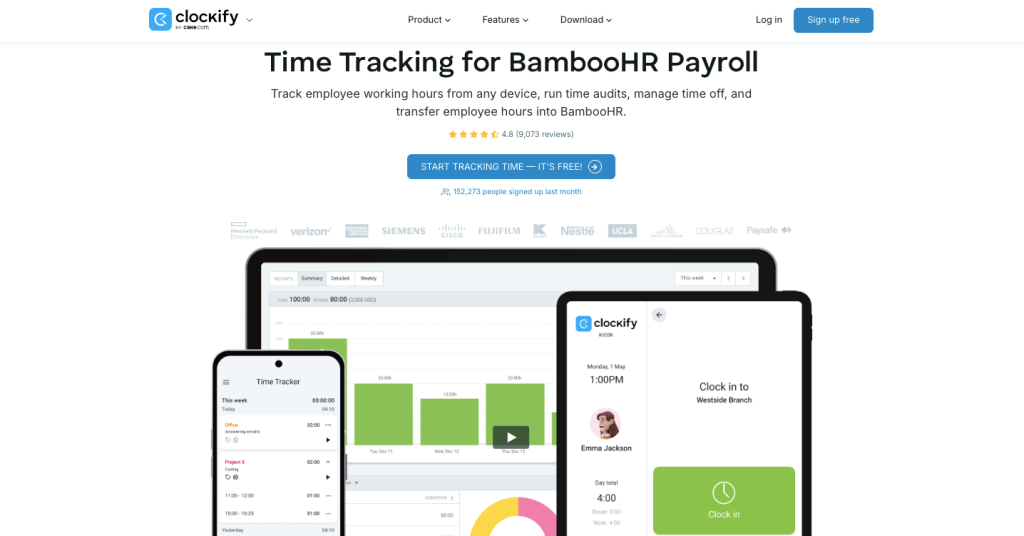
Integration Type: Third-party integration via export/import Sync Frequency: Manual export with automated options available
Clockify can a perfect add-on to your BambooHR time tracking flow, offering comprehensive project management alongside time tracking.
Key Features:
- Unlimited Free Plan: Core features available at no cost
- Project Management: Assign team members to projects, and they can track their billable time via a timer, timesheet, or kiosk
- Time Off Management: Clockify lets you manage employee absence policies (paid vacation, sick leaves, holidays, etc.), approve time off, and track the overall absence balance for the whole team
- Advanced Reporting: Export expenses and time tracking data as PDF, Excel, or CSV files and import them to BambooHR to manage payroll
- Audit Capabilities: Access records of changes for all users and entries in your workspace, and run an audit log to check who did what and when
| Category | Details |
|---|---|
| Best For | • Project-based businesses • Creative agencies • Consulting firms |
| Pricing | Enterprise starts at $11.99 per user per month |
| Free Trial | 7 days for premium features |
| G2 Rating | 4.5/5 stars |
3. Time Doctor – Best for Remote Team Productivity
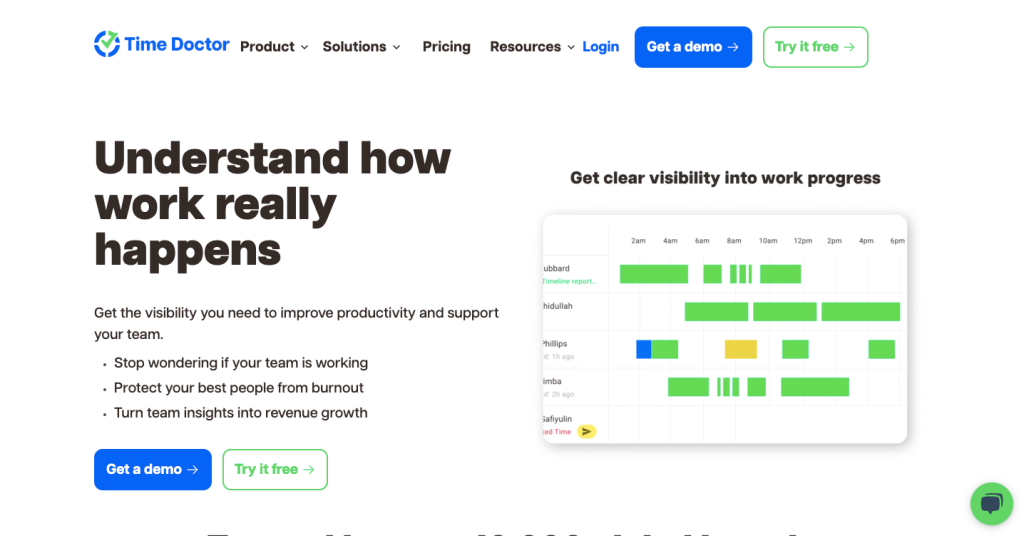
Integration Type: Third-party integration with robust API Sync Frequency: Real-time with configurable intervals
Time Doctor connects with many popular platforms through native and third-party integrations, making it ideal for distributed teams requiring productivity monitoring.
Key Features:
- Automatic Time Tracking: AI-powered tracking based on activity levels
- Productivity Monitoring: Website and application usage tracking with productivity scoring
- Screenshot Capture: Optional screenshot functionality with privacy controls
- Distraction Management: Real-time alerts for non-productive activities
- Global Team Support: Multi-timezone and multi-currency capabilities
- Client Access: Transparency portals for client visibility into project progress
| Category | Details |
|---|---|
| Best For | • Remote teams • Digital agencies • Software development companies |
| Pricing | Premium starts at $16.70 per user per month |
| Free Trial | 14 days |
| G2 Rating | 4.5/5 stars |
4. Toggl Track – Best for Simplicity
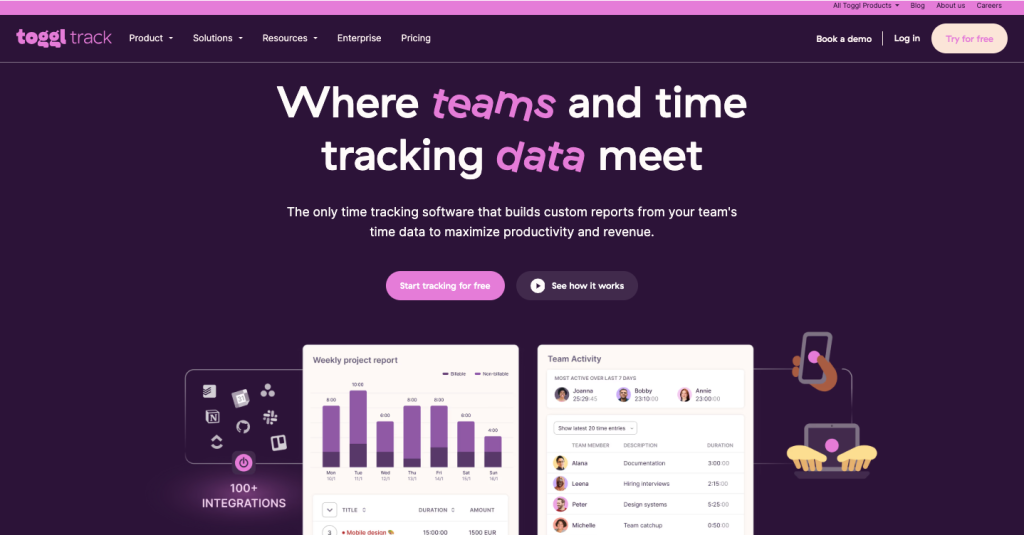
Integration Type: Third-party integration via API Sync Frequency: Manual and automated sync options
Toggl Track focuses on simplicity without sacrificing powerful reporting and analytics capabilities.
Key Features:
- One-Click Tracking: Simple timer interface with minimal learning curve
- Project Organization: Intuitive project and client management
- Offline Capability: Continue tracking without internet connection
- Browser Extensions: Track time directly from web applications
- Calendar Integration: Automatic time entry suggestions from calendar events
- Team Dashboards: Real-time visibility into team activities
| Category | Details |
|---|---|
| Best For | • Knowledge workers • Consultants • Small teams |
| Pricing | Premium starts at $18 per user per month |
| Free Trial | 30 days |
| G2 Rating | 4.6/5 stars |
5. Harvest – Best for Client Billing
Integration Type: Third-party integration with strong API Sync Frequency: Real-time and scheduled sync options
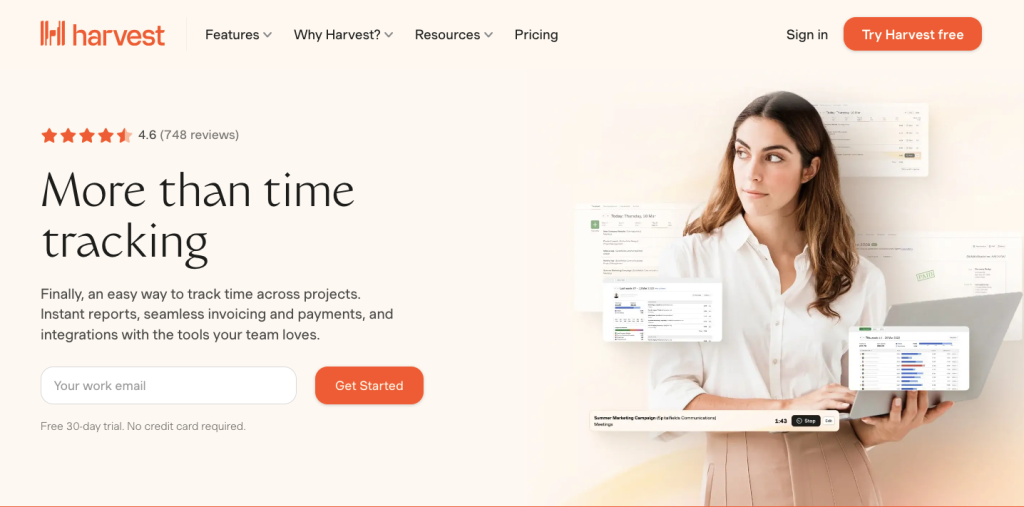
Harvest combines time tracking with powerful invoicing and project management capabilities, making it ideal for client-focused businesses.
Key Features:
- Comprehensive Invoicing: Professional invoice templates with automatic generation
- Expense Tracking: Receipt capture and expense categorization
- Project Budgeting: Budget tracking with visual progress indicators
- Client Approval Workflows: Time and expense approval processes
- Profitability Analysis: Detailed project and client profitability reports
- Team Capacity Planning: Resource allocation and availability tracking
| Category | Details |
|---|---|
| Best For | • Creative agencies • Consulting firms • Professional services |
| Pricing | Premium starts at $14.00 per user per month |
| Free Trial | 7 days |
| G2 Rating | 4.4/5 stars |
6. ClickTime – Best for Project Profitability
Integration Type: API-based integration with BambooHR Sync Frequency: Configurable real-time and batch processing
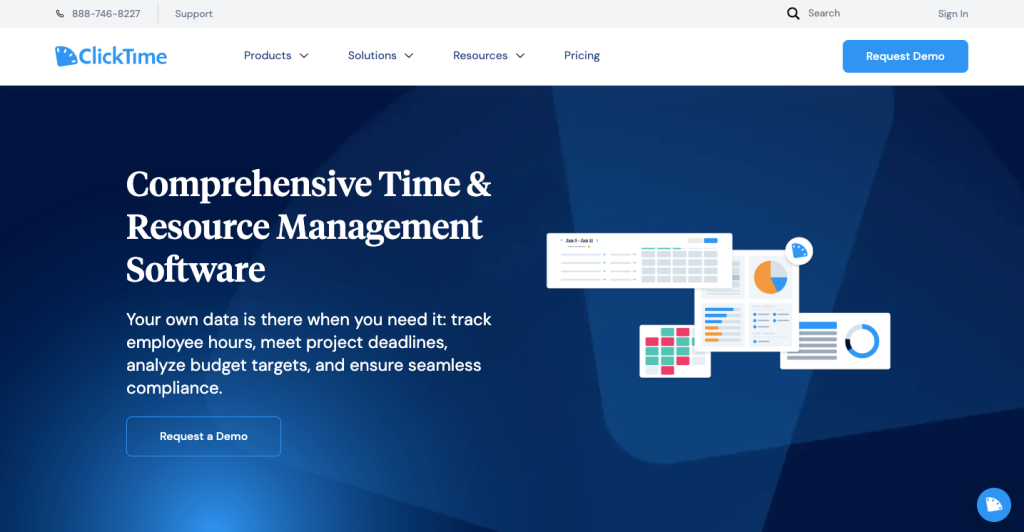
ClickTime offers sophisticated project management and profitability analysis tools alongside comprehensive time tracking.
Key Features:
- Advanced Project Analytics: Multi-dimensional project profitability analysis
- Resource Management: Capacity planning and resource optimization
- Budget Tracking: Real-time budget monitoring with variance analysis
- Custom Reporting: Highly configurable reports and dashboards
- Workflow Automation: Automated approval processes and notifications
- API Integration: Robust API for custom integrations
| Category | Details |
|---|---|
| Best For | • Professional services • Consulting firms • Project-based businesses |
| Pricing | Premier starts at $27 per user per month |
| Free Trial | 30 days |
| G2 Rating | 4.3/5 stars |
7. Timely – Best for Automatic Tracking
Integration Type: Third-party integration via API Sync Frequency: Real-time automatic synchronization
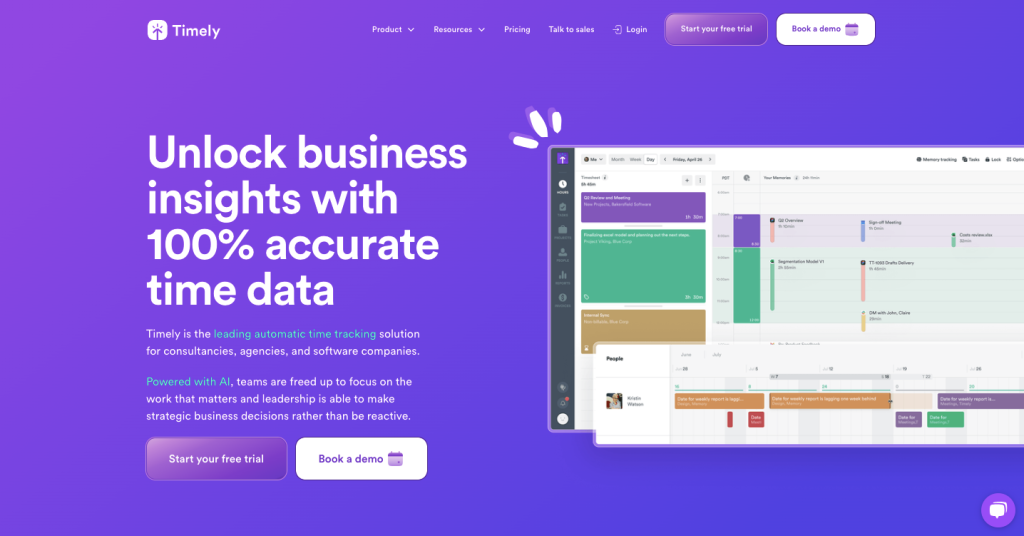
Timely uses AI-powered automatic time tracking, eliminating manual time entry while maintaining accuracy and privacy.
Key Features:
- AI-Powered Tracking: Automatic time capture based on activity patterns
- Privacy-First Design: Local data processing with user control
- Memory Timeline: Visual timeline of daily activities for verification
- Smart Categorization: AI-powered time categorization and project assignment
- Productivity Insights: Detailed analysis of time usage patterns
- Team Collaboration: Shared projects and team visibility features
| Category | Details |
|---|---|
| Best For | • Knowledge workers • Creative teams • Software development |
| Pricing | Premium starts at $16 per user per month |
| Free Trial | 30 days |
| G2 Rating | 4.8/5 stars |
8. WorkforceHub – Best for Construction and Field Services
Integration Type: BambooHR Marketplace Partner Sync Frequency: Real-time synchronization with BambooHR
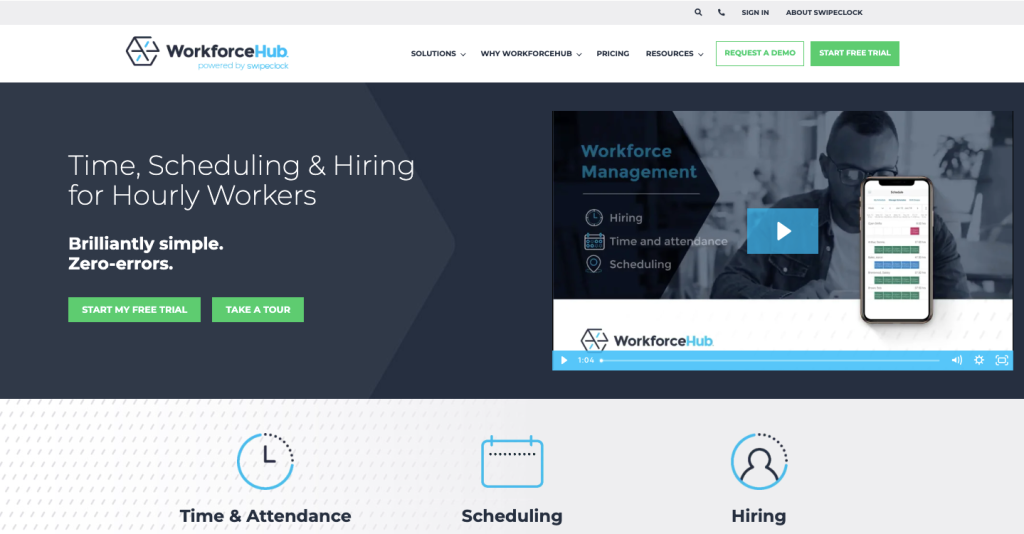
WorkforceHub specializes in time tracking for field workers and construction teams with robust mobile capabilities.
Key Features:
- GPS Verification: Location-based time tracking with geofencing
- Photo Time Stamps: Photo verification for clock-ins and job site documentation
- Equipment Tracking: Track time spent on specific equipment or projects
- Weather Integration: Weather data inclusion for construction projects
- Safety Features: Safety check-ins and incident reporting
- Offline Capability: Continue tracking without cellular connectivity
| Category | Details |
|---|---|
| Best For | • Construction • Field services • Utility companies |
| Pricing | Plus starts at $7 per user per month |
| Free Trial | 14 days |
| G2 Rating | 4.8/5 stars |
Key Integration Features to Consider
When evaluating time tracking solutions for BambooHR integration, consider these critical features:
Data Synchronization Capabilities
- Bidirectional Sync: Ensure employee data flows both ways between systems
- Real-Time Updates: Look for solutions offering real-time or near-real-time synchronization
- Field Mapping: Ability to map custom fields between BambooHR and time tracking systems
- Conflict Resolution: Automated handling of data conflicts and duplicates
Employee Experience
- Single Sign-On (SSO): Simply use your BambooHR login credentials to access TimeRewards and be more productive
- Mobile Accessibility: Full-featured mobile apps for on-the-go time tracking
- Intuitive Interface: Minimal learning curve for employee adoption
- Self-Service Features: Allow employees to manage their own time and requests
Administrative Control
- Approval Workflows: Customizable time sheet approval processes
- Automated Reminders: System-generated reminders for time entry and approvals
- Compliance Features: Built-in compliance tools for regulations and audits
- Reporting Integration: Seamless report generation using combined data
Security and Compliance
- Data Encryption: Enterprise-grade encryption for data protection
- Access Controls: Role-based permissions and multi-factor authentication
- Audit Trails: Complete logging of all system changes and access
- Compliance Certifications: SOC 2, HIPAA, GDPR compliance as needed
Implementation Strategy
Phase 1: Assessment and Planning (Weeks 1-2)
- Current State Analysis: Document existing processes and pain points
- Requirements Gathering: Define must-have vs. nice-to-have features
- Stakeholder Alignment: Get buy-in from HR, IT, and management teams
- Budget Planning: Establish budget for software, implementation, and training
Phase 2: Vendor Selection (Weeks 3-4)
- Solution Evaluation: Test top 3-5 solutions with free trials
- Integration Testing: Verify BambooHR connectivity and data flow
- Reference Checking: Speak with current customers in similar industries
- Final Selection: Choose solution based on functionality, cost, and fit
Phase 3: Implementation (Weeks 5-8)
- System Configuration: Set up integration and configure settings
- Data Migration: Import historical data and validate accuracy
- User Training: Conduct training sessions for administrators and end-users
- Pilot Testing: Run pilot with small group before full rollout
Phase 4: Rollout and Optimization (Weeks 9-12)
- Full Deployment: Roll out to all users with support resources
- Performance Monitoring: Track adoption rates and system performance
- User Feedback: Collect feedback and address issues promptly
- Process Optimization: Refine workflows based on real-world usage
Industry-Specific Recommendations
Professional Services (Legal, Consulting, Accounting)
Top Choice: Time Rewards
- DCAA compliance for government contractors
- Advanced project profitability tracking
- Comprehensive expense management
- Professional invoicing capabilities
Alternative: Harvest or ClickTime for project-focused billing
Construction and Field Services
Top Choice: WorkforceHub or Time Rewards
- GPS tracking and location verification
- Weather data integration
- Equipment time tracking
- Photo documentation capabilities
Alternative: Connecteam for comprehensive field worker management
Healthcare and Medical Practices
Top Choice: Time Rewards or Deputy
- HIPAA compliance features
- Complex scheduling requirements
- Credential tracking capabilities
- Shift management tools
Alternative: Replicon for enterprise healthcare systems
Retail and Hospitality
Top Choice: Deputy or Buddy Punch
- Advanced scheduling with demand forecasting
- Time theft prevention features
- Labor cost optimization
- POS system integrations
Alternative: Synerion for multi-location chains
Technology and Remote Teams
Top Choice: Time Doctor or Hubstaff
- Productivity monitoring capabilities
- Remote team management features
- Automatic time tracking options
- Project budget tracking
Alternative: Timely for privacy-focused automatic tracking
Manufacturing and Production
Top Choice: Synerion or Replicon
- Workforce analytics and optimization
- Complex labor scheduling
- Compliance reporting
- Multi-shift management
Alternative: Time Rewards for project-based manufacturing
Cost-Benefit Analysis
Implementation Costs
- Software Licensing: $3-25 per user per month depending on features
- Implementation Services: 5-15% of annual license cost
- Training and Change Management: $2,000-10,000 depending on organization size
- Data Migration: $1,000-5,000 for historical data transfer
Quantifiable Benefits
- Administrative Time Savings: 40-65% reduction in payroll processing time
- Improved Billing Accuracy: 15-25% increase in billable hour capture
- Reduced Payroll Errors: 90-95% reduction in manual entry errors
- Compliance Cost Savings: $10,000-50,000 annually in avoided penalties
ROI Timeline
Most organizations see positive ROI within 3-6 months:
- Month 1-2: Implementation and learning curve
- Month 3-4: Process stabilization and initial benefits
- Month 5-6: Full benefits realization and ROI achievement
- Ongoing: Continued optimization and additional value discovery
Sample ROI Calculation (100-person company):
- Annual Software Cost: $60,000 (100 users × $50/month × 12 months)
- Implementation Cost: $15,000 (one-time)
- Total First-Year Investment: $75,000
Annual Benefits:
- Administrative Time Savings: $45,000 (5 hours/week × 52 weeks × $17/hour)
- Improved Billing Accuracy: $35,000 (20% improvement in billable capture)
- Reduced Errors: $8,000 (avoided correction costs and penalties)
- Total Annual Benefits: $88,000
First-Year ROI: 17% ($88,000 – $75,000) / $75,000
Common Integration Challenges
Data Synchronization Issues
Challenge: Time entries not syncing properly between systems Solution:
- Verify field mappings and data formats
- Check API rate limits and connection stability
- Implement error handling and retry logic
- Monitor sync logs regularly for issues
User Adoption Resistance
Challenge: Employees reluctant to use new time tracking system Solution:
- Emphasize benefits to individual employees
- Provide comprehensive training and support
- Start with voluntary adoption before mandating use
- Address privacy concerns transparently
Duplicate Data Problems
Challenge: Employee records appearing multiple times Solution:
- Establish clear data ownership rules
- Implement unique identifier matching
- Clean existing data before integration
- Set up automated deduplication processes
Payroll Discrepancies
Challenge: Time totals don’t match between systems Solution:
- Standardize rounding rules across platforms
- Verify overtime calculation settings
- Ensure consistent time zone configurations
- Implement regular reconciliation procedures
Performance and Scalability
Challenge: Slow sync times or system timeouts Solution:
- Optimize sync schedules for off-peak hours
- Implement incremental rather than full syncs
- Monitor system performance and resource usage
- Plan for scalability as user base grows
Best Practices for Success
Pre-Implementation
- Establish Clear Objectives: Define specific goals and success metrics
- Secure Executive Support: Ensure leadership commitment and resources
- Form Cross-Functional Team: Include HR, IT, operations, and end-users
- Document Current Processes: Create baseline for measuring improvement
During Implementation
- Maintain Communication: Regular updates to all stakeholders
- Test Thoroughly: Validate all integration points before go-live
- Train Comprehensively: Invest in proper user training and documentation
- Plan for Support: Establish help desk and escalation procedures
Post-Implementation
- Monitor Continuously: Track adoption rates and system performance
- Gather Feedback: Regular surveys and feedback sessions with users
- Optimize Regularly: Refine processes based on usage data
- Stay Current: Keep systems updated and leverage new features
Change Management Best Practices
- Communicate Benefits: Focus on “what’s in it for me” messaging
- Provide Multiple Training Formats: Videos, documentation, hands-on sessions
- Identify Champions: Recruit early adopters to help others
- Address Concerns Proactively: Acknowledge and respond to resistance
Future of BambooHR Integrations
Artificial Intelligence and Automation
- Predictive Analytics: AI-powered insights into workforce patterns and optimization opportunities
- Automated Categorization: Smart project and task assignment based on historical data
- Anomaly Detection: Automatic identification of unusual time patterns or potential issues
- Natural Language Processing: Voice-activated time entry and query capabilities
Enhanced Mobile and IoT Integration
- Wearable Device Integration: Time tracking through smartwatches and fitness trackers
- Beacon Technology: Automatic location-based time tracking in smart offices
- Voice Assistants: Integration with Alexa, Google Assistant for hands-free operation
- Augmented Reality: AR interfaces for field workers and technical teams
Advanced Analytics and Business Intelligence
- Real-Time Dashboards: Live visibility into workforce metrics and KPIs
- Predictive Modeling: Forecast workforce needs and project timelines
- Competitive Benchmarking: Industry comparisons and best practice recommendations
- ROI Analytics: Detailed analysis of time tracking investment returns
Integration Platform Evolution
- No-Code Integration: User-friendly tools for creating custom integrations
- API Standardization: Industry-standard APIs for seamless connectivity
- Blockchain Verification: Immutable time records for enhanced security and compliance
- Edge Computing: Local processing for improved performance and data privacy
Frequently Asked Questions
General Integration Questions
Q: What is the difference between BambooHR’s native time tracking and third-party integrations? A: BambooHR focuses primarily on administrative HR tasks. Although it offers attendance and basic employee time tracking, it does not provide real-time views of how employees spend their time across tasks or apps. Third-party integrations typically offer more advanced features like project tracking, productivity monitoring, GPS verification, and detailed analytics.
Q: How long does it typically take to implement a time tracking integration with BambooHR? A: Implementation timelines vary based on complexity and organization size. Simple integrations can be completed in 1-2 weeks, while comprehensive implementations with data migration and training typically require 4-8 weeks.
Q: Can I use multiple time tracking integrations with BambooHR simultaneously? A: While technically possible, it’s not recommended as it can create data conflicts, duplicate entries, and synchronization issues. Choose one primary time tracking solution to maintain data integrity and avoid confusion.
Q: What data syncs between time tracking software and BambooHR? A: Typically synchronized data includes employee information, time entries, project codes, PTO requests, timesheet approvals, and payroll data. The sync process runs every 60 minutes and keeps everything updated from both systems.
Q: Do I need BambooHR’s payroll module to use time tracking integrations? A: No. BambooHR partners with over 150 integrations, and if you don’t have BambooHR Payroll, you can easily export your employees’ timesheet data to the payroll system you use.
Technical Implementation Questions
Q: How secure are time tracking integrations with BambooHR? A: Reputable integrations use enterprise-grade security including AES-256 encryption, secure API connections, and OAuth authentication. Look for SOC 2 Type II certified solutions and verify security certifications before implementation.
Q: What happens if the integration fails or goes down? A: Most modern integrations include failover mechanisms and data backup. Time tracking typically continues locally with automatic sync when connectivity is restored. Choose solutions with robust offline capabilities and data recovery procedures.
Q: Can I customize which data syncs between systems? A: Yes, most enterprise-grade integrations offer configurable sync settings including specific employee groups, projects, departments, and data fields. This allows you to tailor the integration to your specific needs.
Q: How do I handle time zone differences in a global organization? A: Modern integrations automatically handle time zone conversions based on employee locations and BambooHR settings. Ensure both systems are configured with correct time zones for accurate data synchronization.
Cost and ROI Questions
Q: What’s the typical cost of implementing a time tracking integration? A: Costs vary by solution and organization size:
- Software licensing: $3-25 per user per month
- Implementation services: 5-15% of annual license cost
- Training and setup: $2,000-10,000
- Total first-year investment typically ranges from $15,000-75,000 for mid-sized companies
Q: How quickly can I expect to see ROI from a time tracking integration? A: Most organizations achieve positive ROI within 3-6 months through:
- 40-65% reduction in administrative time
- 15-25% improvement in billable hour capture
- 90-95% reduction in payroll errors
- $10,000-50,000 annual savings in compliance costs
Q: Are there hidden costs I should be aware of? A: Potential additional costs include:
- Data migration fees for historical records
- Custom field mapping or workflow configuration
- Additional training beyond standard implementation
- Premium support or service level agreements
- Integration maintenance and updates
Feature and Functionality Questions
Q: Can employees clock in and out directly from BambooHR? A: This depends on the integration. Solutions like Time Rewards offer single sign-on, allowing employees to use their BambooHR credentials to access time tracking features. Some integrations embed time tracking directly in the BambooHR interface.
Q: Do time tracking integrations support project-based billing? A: Many integrations excel at project tracking and billing. Time Rewards, for example, offers comprehensive project management with budget tracking, profitability analysis, and 1-click invoicing for hourly, fixed fee, recurring, phased, milestone, and percentage-complete projects.
Q: Can I track expenses and receipts through integrated solutions? A: Yes, solutions like Time Rewards allow you to take photos of receipts and store them in your account. You can capture expenses in real-time from your mobile phone, set up rules to avoid expense entry mistakes, bill clients for expenses, and track mileage.
Q: Do integrations support DCAA compliance for government contractors? A: Several solutions offer DCAA compliance features. Time Rewards, specifically, provides the most straightforward DCAA compliant time tracking tool with proper audit trails, electronic signatures, and tamper-proof records required for government contracts.
Troubleshooting Questions
Q: What should I do if time entries aren’t appearing in BambooHR? A: Troubleshooting steps include:
- Check integration connection status and API credentials
- Verify employee mapping between systems
- Ensure time entries meet minimum requirements (complete data, approved status)
- Review sync logs for error messages
- Contact support for your time tracking solution
Q: How do I handle duplicate employee records after integration? A: Prevent duplicates by:
- Establishing unique identifiers (employee ID, email) before integration
- Cleaning existing data in both systems
- Configuring proper matching rules during setup
- Running a test sync with sample data first
- Implementing deduplication procedures
Q: Can I migrate historical time data when switching systems? A: Most professional implementations include historical data migration. The process involves exporting data from your current system, transforming it to match the new format, and importing it into the integrated solution. Plan for additional time and cost for historical migrations.
Expert Recommendations and Conclusion
Based on 12+ years of experience implementing HR technology solutions for over 500 companies, here are my expert recommendations:
For Small Businesses (1-50 employees)
Top Choice: Time Rewards or Jibble
- Time Rewards offers comprehensive features with excellent BambooHR integration
- Jibble provides a strong free option for budget-conscious organizations
- Both solutions are easy to implement with minimal IT requirements
- Excellent scalability as your business grows
For Medium Businesses (51-200 employees)
Top Choice: Time Rewards or Deputy
- Time Rewards for professional services and project-based work
- Deputy for shift-based businesses and retail/hospitality
- Both offer robust integration capabilities and advanced features
- Strong support organizations for successful implementations
For Large Enterprises (200+ employees)
Top Choice: Time Rewards, Replicon, or Synerion
- Enterprise-grade security and compliance features
- Advanced analytics and workforce optimization tools
- Customizable workflows and approval processes
- Dedicated account management and support
Industry-Specific Final Recommendations
Professional Services & Government Contractors: Time Rewards
- Purpose-built for professional services with DCAA compliance
- Comprehensive project management and profitability tracking
- Advanced expense management and invoicing capabilities
- Proven track record with consulting firms and government contractors
Healthcare & Medical Practices: Time Rewards or Deputy
- HIPAA compliance and security features
- Complex scheduling and shift management
- Credential tracking and compliance reporting
- Integration with medical practice management systems
Construction & Field Services: Time Rewards or WorkforceHub
- GPS tracking and location verification
- Mobile-first design for field workers
- Equipment and job site tracking capabilities
- Weather data integration and photo documentation
Retail & Hospitality: Deputy or Buddy Punch
- Advanced scheduling with demand forecasting
- Time theft prevention and accountability features
- Labor cost optimization and budget controls
- POS system integrations and multi-location support
Technology & Remote Teams: Time Doctor or Hubstaff
- Productivity monitoring and analytics
- Automatic time tracking capabilities
- Remote team management features
- Project budget and resource tracking
Key Success Factors
- Choose Based on Your Primary Use Case: Don’t just look at features—focus on what you’ll actually use daily
- Prioritize Integration Quality: Official marketplace partners typically offer better, more reliable integrations
- Invest in Proper Implementation: Spend time on setup, training, and change management for better adoption
- Plan for Growth: Select solutions that can scale with your business over the next 3-5 years
- Consider Total Cost of Ownership: Include implementation, training, and ongoing support costs in your decision
The Bottom Line
While BambooHR partners with over 150 integrations, the quality and depth of these partnerships vary significantly. Time Rewards stands out as our top recommendation for its exceptional integration quality, comprehensive feature set, and proven track record across multiple industries.
As an official BambooHR Marketplace Partner, Time Rewards offers:
- Seamless data synchronization every 60 minutes
- Single sign-on using BambooHR credentials
- Comprehensive feature set combining time tracking, expense management, project management, and invoicing
- DCAA compliance for government contractors
- Industry-leading customer support and implementation services
Whether you’re currently using BambooHR’s native time tracking add-on or considering your first time tracking solution, the right integration can transform your HR operations and provide significant ROI within 3-6 months.
Take Action Today:
- Assess Your Current State: Document your time tracking pain points and requirements
- Try Time Rewards: Start with their 30-day free trial to experience the BambooHR integration firsthand
- Compare Alternatives: Test 2-3 additional solutions based on your specific industry needs
- Plan Your Implementation: Allow 4-8 weeks for proper implementation and training
- Measure Success: Track ROI metrics from day one to validate your investment
The future of workforce management lies in integrated, intelligent solutions that eliminate manual processes and provide real-time insights. By choosing the right time tracking integration for your BambooHR system, you’re not just solving today’s problems—you’re building the foundation for tomorrow’s success.
Remember, the best time tracking solution is the one that fits your specific business needs, integrates seamlessly with your existing processes, and provides measurable value to your organization. Start your evaluation today and transform your time tracking from a necessary administrative task into a strategic business advantage.
Disclosure: This article provides independent analysis based on extensive research and hands-on testing. While some vendors mentioned may provide compensation for referrals, all recommendations are based solely on merit, functionality, and suitability for different business needs.